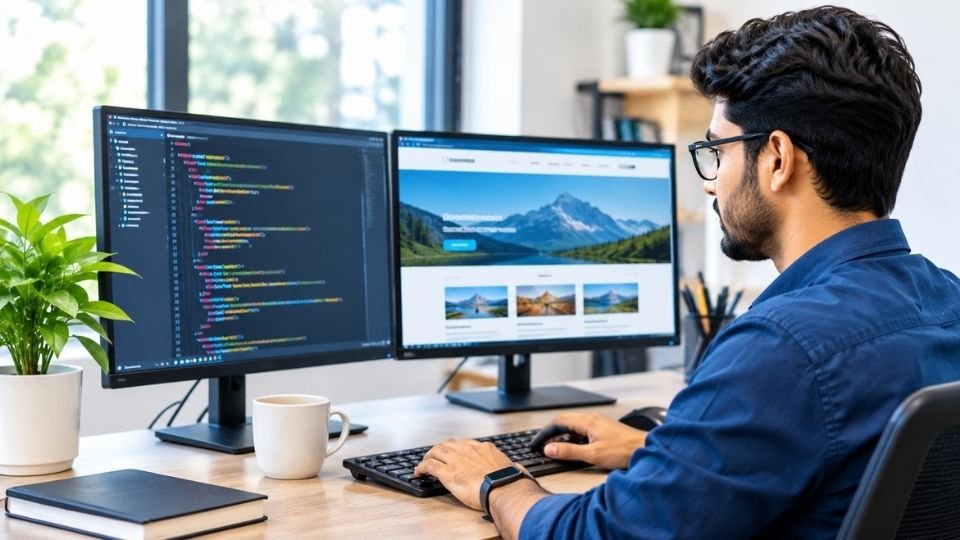
Have you ever visited a website, browsed an online shopping store, filled out a contact form or watched a video on a webpage? Every one of these experiences is made possible through web development.
Today, websites are an important part of almost every industry. Businesses use websites to reach customers, educational institutions share information online, and individuals build personal brands through digital platforms.
But have you ever wondered how these websites are actually created?
Web development is the process of building, developing and maintaining websites and web applications that people use through the internet. It involves different programming languages, technologies, tools and development techniques that work together to create functional and user-friendly websites.
If you are a student, graduate or complete beginner interested in technology, understanding web development can be a useful first step towards exploring the digital industry.
In this guide, we will explain what web development is, its different types, the technologies developers use, and how you can start learning web development from scratch.
1. What Is Web Development?
Web development refers to the process of creating and maintaining websites and web applications.
It includes everything from building a simple webpage to developing complex platforms such as online shopping websites, educational portals, business applications and social networking platforms.
A website may contain several elements, including:
- Text, images and videos
- Navigation menus and buttons
- Contact forms and interactive features
- Product listings and shopping carts
- User accounts and login systems
- Databases and dynamic content
Web developers use programming languages and development tools to make these elements work together.
For example, when you visit an online shopping website, you can search for products, add items to your cart, create an account and complete an order. Web development makes these interactions possible.
In simple terms: Web development turns a website idea or design into a working digital experience.
2. How Does Web Development Work?
When you open a website in your browser, several processes happen behind the scenes.
Let’s understand the basic working process.
Step 1: A User Opens a Website
You enter a website address, such as www.academy.creatofly.com, into your browser.
Step 2: The Browser Sends a Request
Your browser communicates with the website’s server to request the information needed to display the page.
Step 3: The Server Processes the Request
The server receives the request and may retrieve information from a database or process application logic.
Step 4: The Website Loads
The browser receives the necessary website resources, such as HTML, CSS, JavaScript and images, and uses them to display the webpage.
Step 5: The User Interacts With the Website
You can click buttons, submit forms, search for information or navigate between different pages.
These interactions may trigger additional requests to the server.
This entire process happens very quickly, allowing users to access websites and web applications from their devices.
3. What Are the Main Types of Web Development?
Web development is generally divided into three major areas: frontend development, backend development and full-stack development.
Understanding these areas will help you decide which direction you want to explore.
A. Frontend Development
Frontend development focuses on the part of a website that users can see and interact with.
It includes the website layout, colours, typography, navigation menus, buttons, images and interactive elements.
For example, when you visit a website and see its homepage, navigation bar, service sections and contact form, you are looking at the frontend.
Common frontend technologies include:
- HTML5
- CSS3
- JavaScript
- Bootstrap
- React.js
Frontend developers work to make websites visually organised, responsive and interactive across different screen sizes.
B. Backend Development
Backend development focuses on the server-side functionality of a website.
It handles the processes that users generally cannot see directly, such as data processing, authentication, database management and server communication.
For example, when you log in to a website, the backend helps verify your credentials and manage your account information.
Common backend technologies include:
- Node.js
- Python
- PHP
- Java
- MySQL
- MongoDB
Backend development ensures that the website functions correctly behind the scenes.
C. Full-Stack Development
Full-stack development combines frontend and backend development.
A full-stack developer works with both the user-facing parts of a website and its server-side functionality.
For example, when developing an online shopping platform, a full-stack developer may work on:
- Designing the website interface
- Creating product pages
- Developing login and registration functionality
- Connecting databases
- Building shopping cart features
- Integrating APIs
Full-stack development requires knowledge of several technologies and development concepts.
Which type should beginners learn first?
Starting with frontend development is a practical option for many beginners because it allows them to understand how websites are structured and build visible projects while learning.
4. Essential Technologies Used in Web Development
If you want to learn web development, you should become familiar with some fundamental technologies.
Three technologies form the foundation of most websites: HTML, CSS and JavaScript.
HTML: The Structure of a Website
HTML stands for HyperText Markup Language.
It is used to organise the content of a webpage, including headings, paragraphs, images, links, lists and forms.
For example:
<!DOCTYPE html>
<html>
<head>
    <title>My First Website</title>
</head>
<body>
    <h1>Welcome to My Website</h1>
    <p>This is my first webpage.</p>
</body>
</html>
This simple code creates a webpage with a heading and a paragraph.
CSS: The Design of a Website
CSS stands for Cascading Style Sheets.
It controls how HTML elements look on a webpage.
Developers use CSS to manage colours, fonts, spacing, backgrounds, layouts, animations and responsive designs.
For example:
body {
    font-family: Arial, sans-serif;
    background-color: #f4f7fa;
}

h1 {
    color: #1677c8;
    text-align: center;
}

p {
    font-size: 18px;
}
CSS helps transform a basic HTML webpage into an organised and visually appealing design.
JavaScript: The Interactivity of a Website
JavaScript is a programming language used to make websites interactive.
It can control buttons, dropdown menus, image sliders, form validation and many other dynamic features.
For example:
function showMessage() {
    alert("Welcome to Web Development!");
}
This function displays a message when it is called.
How Do HTML, CSS and JavaScript Work Together?
Think of a website as a building:
- HTML provides the basic structure.
- CSS handles the appearance and design.
- JavaScript adds interactive behaviour.
All three technologies work together to create modern website experiences.
5. What Tools Do Web Developers Use?
Apart from programming languages, web developers use different tools to write code, test websites and manage projects.
Some commonly used tools include:
Visual Studio Code (VS Code): A popular code editor used to write and manage website code.
Google Chrome Developer Tools: Helps developers inspect webpage elements, debug code and test responsive layouts.
Git: A version control system that helps developers track changes in their code.
GitHub: A platform used to host code repositories and collaborate on development projects.
Figma: A design and prototyping tool used to plan website interfaces before development begins.
WordPress: A content management system that allows users to create and manage websites without building every feature from scratch.
Learning these tools can help beginners understand how website development projects are organised in professional environments.
6. What Skills Do You Need to Become a Web Developer?
Becoming a web developer requires more than learning programming languages.
You also need problem-solving abilities, logical thinking and practical experience.
Here are some important skills to develop:
Technical Skills
- Understanding HTML and CSS
- Learning JavaScript fundamentals
- Creating responsive website layouts
- Understanding frontend development
- Working with development tools
- Learning basic Git and GitHub workflows
- Understanding website performance and accessibility
Practical Skills
- Building websites from scratch
- Converting designs into webpages
- Testing websites on different devices
- Identifying and fixing errors
- Organising website content
- Working on real-world projects
Professional Skills
- Communication
- Problem-solving
- Time management
- Attention to detail
- Team collaboration
- Continuous learning
If you want to understand the complete learning journey, read our related article: How to Become a Web Designer in 2026: Skills and Career Guide.
It explains the skills, tools and practical steps involved in starting a career in web designing.
7. How Can Beginners Start Learning Web Development?
If you are starting from zero, learning everything at once can feel confusing.
A structured learning approach makes the process easier.
Here is a practical roadmap for beginners.
Step 1: Understand Website Fundamentals
Start by understanding what websites are, how they work and how webpages are organised.
Learn about domains, hosting, browsers, servers and basic website structure.
Step 2: Learn HTML
Begin with HTML elements, headings, paragraphs, images, links, lists, tables and forms.
Practice creating simple webpages using these elements.
Step 3: Learn CSS
Once you understand HTML, move to CSS.
Practice colours, typography, spacing, layouts, Flexbox, Grid and responsive website design.
Step 4: Learn JavaScript
Start with variables, data types, functions, conditions, loops, arrays and objects.
Gradually learn DOM manipulation and events to create interactive website features.
Step 5: Explore Frontend Tools
Become familiar with tools such as VS Code, Chrome Developer Tools, Git and GitHub.
You can also explore frameworks and libraries such as Bootstrap and React.js as your understanding improves.
Step 6: Build Practical Projects
Do not limit your learning to watching tutorials.
Create projects such as:
- Personal portfolio website
- Business website
- Responsive landing page
- Contact form
- Product information page
- Simple JavaScript application
These projects help you apply what you have learned and demonstrate your abilities.
Step 7: Create a Portfolio
A portfolio is a collection of your work that demonstrates your practical skills.
You can include website designs, frontend projects, responsive layouts and other development work.
A well-organised portfolio can help you present your abilities when exploring internships, freelance projects or employment opportunities.
8. What Are the Career Opportunities in Web Development?
Web development skills can be applied across many industries because businesses, organisations and individuals use websites and web applications.
Depending on your knowledge, experience and specialisation, you can explore different roles.
Some examples include:
| Career Role | Main Responsibility |
|---|---|
| Web Designer | Plans website layouts and visual experiences |
| Frontend Developer | Builds user-facing website interfaces |
| Backend Developer | Develops server-side functionality |
| WordPress Developer | Creates and manages WordPress websites |
| Web Developer | Builds and maintains websites |
| Full-Stack Developer | Works on frontend and backend systems |
You can also explore freelance opportunities by creating websites for businesses, professionals and other clients.
However, career opportunities depend on your technical skills, practical experience, portfolio, communication and the requirements of employers or clients. Learning a course alone does not guarantee a job or income.
9. Why Is Practical Training Important in Web Development?
Reading about web development is useful, but understanding how to apply that knowledge is equally important.
For example, you may understand CSS concepts after watching a tutorial. However, creating a responsive website that works properly on mobile, tablet and desktop requires practice.
Practical training helps learners:
- Apply programming concepts.
- Understand real website development workflows.
- Work with different development tools.
- Identify and fix coding errors.
- Build projects from the beginning.
- Develop a portfolio of their work.
At Creatofly Academy, the focus is on helping learners understand website design and frontend development through structured learning, practical assignments and real-world projects.
The Web Designing and Frontend Development Career Program covers areas such as Figma, HTML5, CSS3, JavaScript, responsive web design, WordPress, Elementor, React.js and Git & GitHub.
You can explore the Web Designing and Frontend Development Course in Ballia to understand the curriculum, learning approach and program details.
10. Is Web Development a Good Skill to Learn in 2027?
Web development remains a useful technical skill for people interested in building websites and digital products.
Businesses need websites to communicate with customers, showcase services, share information and support online operations.
At the same time, web technologies continue to evolve. Modern developers work with responsive design, JavaScript frameworks, content management systems, APIs, cloud services and AI-assisted development tools.
For beginners, this means learning should not stop after HTML and CSS.
A good approach is to understand the fundamentals first, build practical projects and gradually explore more advanced technologies.
You do not need to learn every programming language at once. Focus on developing a strong foundation and applying your knowledge consistently.
11. Frequently Asked Questions About Web Development
Q1. What is web development in simple words?
Web development is the process of creating and maintaining websites and web applications using programming languages, development tools and other technologies.
Q2. Can I learn web development without a technical background?
Yes. Beginners from different educational backgrounds can start learning web development. You can begin with HTML, CSS and JavaScript without needing an advanced technical background.
Q3. How long does it take to learn web development?
The learning time depends on your learning schedule, previous knowledge and practice. You can understand the fundamentals within a few months, but developing professional-level skills requires consistent learning and project experience.
Q4. Which language should I learn first for web development?
HTML is a practical starting point because it teaches you how to structure webpages. After HTML, learn CSS for styling and JavaScript for interactive functionality.
Q5. What is the difference between web design and web development?
Web design focuses on the appearance, layout and user experience of a website. Web development focuses on implementing the design and building the functionality that makes the website work. Both areas often overlap.
Q6. Is HTML enough to become a web developer?
No. HTML is an essential foundation, but professional web development generally requires additional skills such as CSS, JavaScript, responsive design and relevant development tools.
Q7. Can I build a website without coding?
Yes. Platforms such as WordPress and website builders allow users to create websites with limited coding. However, understanding HTML, CSS and JavaScript gives you more control over customisation and functionality.
Q8. What should I build after learning HTML, CSS and JavaScript?
Start with a personal portfolio, responsive business website, landing page or simple interactive application. Gradually move towards more complex projects as your skills improve.
Conclusion
Web development is more than writing code. It involves planning, designing, developing, testing and maintaining websites that solve real problems for users and businesses.
For beginners, the best way to start is by understanding HTML, CSS and JavaScript, exploring development tools and building practical projects.
You do not need to master every technology immediately. Start with the fundamentals, practise regularly and gradually develop the skills required to create complete websites.
If you are interested in learning website design and frontend development through structured practical training, explore the learning opportunities available at Creatofly Academy.
Start with the basics. Practise your skills. Build real websites. Keep growing.