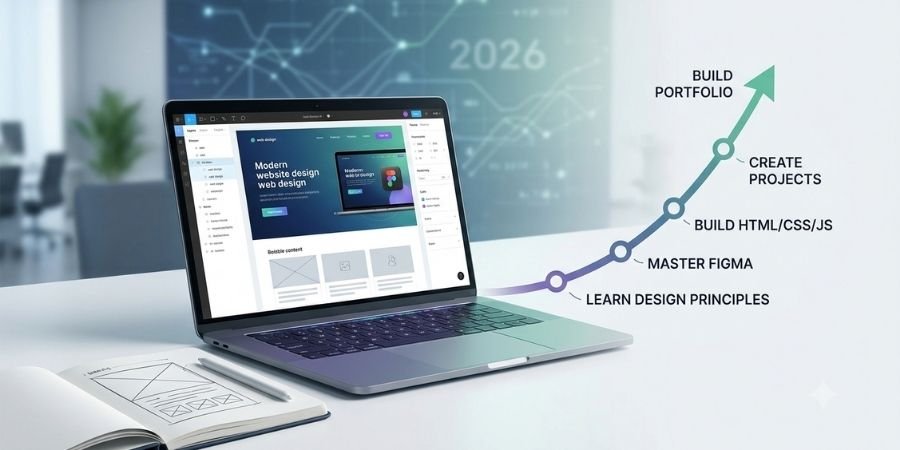
Websites have become an essential part of almost every business, organization, educational institution, and online service. As businesses continue to build their digital presence, web design remains a valuable skill for people interested in technology and creative work.
If you are wondering how to become a web designer in 2026, you do not necessarily need a computer science degree or advanced programming knowledge to get started. Beginners can develop their skills step by step by learning design principles, website technologies, responsive design, and practical project development.
This guide explains the essential skills, tools, projects, portfolio requirements, and career options for aspiring web designers.
What Does a Web Designer Do?
A web designer creates the visual structure and user experience of a website. Their work can include planning layouts, choosing typography and colors, designing navigation, creating UI elements, and making websites easy to use.
Modern web designers often understand both design and frontend development. This allows them to turn visual concepts into functional websites.
A web designer may work on:
- Business websites
- Landing pages
- Portfolio websites
- WordPress websites
- Online stores
- Mobile-friendly interfaces
- User interface designs
Can Beginners Become Web Designers in 2026?
Yes. Web designing can be learned progressively, even if you are starting from zero.
You do not need to learn every technology at once. A practical learning path begins with design fundamentals, followed by Figma, HTML, CSS, responsive design, JavaScript, and website-building tools.
The key is to combine learning with practice. Instead of only watching tutorials, create layouts, code webpages, solve small problems, and build complete projects.
Step 1: Learn Basic Design Principles
Before learning advanced tools, understand the fundamentals of website design.
Important concepts include:
- Layout
- Typography
- Color
- Spacing
- Alignment
- Contrast
- Visual hierarchy
- Consistency
- Navigation
- User experience
These principles help you create websites that are visually organized and easy to use.
Step 2: Learn Figma for UI Design
Figma is a popular design tool for creating website interfaces, wireframes, prototypes, and design systems.
A wireframe provides a basic visual plan of a webpage, while a prototype demonstrates how different screens and elements can interact.
Beginners should learn:
- Frames and layers
- Components
- Auto Layout
- Typography and colors
- Wireframes
- Prototypes
- Basic design systems
Figma helps you plan a website before starting development.
Step 3: Learn HTML and CSS
HTML (HyperText Markup Language) provides the structure of webpages. It is used for headings, paragraphs, links, images, lists, forms, and other elements.
Beginners should understand HTML structure, semantic HTML, forms, images, links, and basic accessibility.
CSS (Cascading Style Sheets) controls the appearance and layout of webpages. It allows you to work with colors, fonts, spacing, backgrounds, borders, animations, and responsive layouts.
Pay particular attention to Flexbox and CSS Grid. Flexbox is useful for arranging elements in rows or columns, while Grid is useful for more complex layouts.
Step 4: Understand Responsive Web Design
Responsive web design means creating websites that adapt to different screen sizes, including desktops, tablets, and smartphones.
Important concepts include:
- Mobile-first design
- Flexible layouts
- Breakpoints
- Responsive images
- Mobile navigation
- Flexible typography
- Cross-device testing
Responsive design is an essential skill because users access websites from many different devices.
Step 5: Learn JavaScript Fundamentals
JavaScript adds interaction and dynamic behavior to websites.
Beginners should start with:
- Variables and data types
- Conditions
- Functions
- Loops
- Arrays and objects
- Events
- DOM manipulation
- Form interactions
The DOM (Document Object Model) allows JavaScript to interact with webpage elements.
With basic JavaScript, you can create interactive menus, buttons, sliders, tabs, forms, and other website features.
Step 6: Learn WordPress and Elementor
WordPress is a content management system (CMS) used to create and manage websites.
Elementor is a visual website-building tool that works with WordPress and allows users to design webpages through a visual interface.
Beginners can learn:
- Themes and plugins
- Pages and posts
- Menus
- Elementor layouts
- Responsive design
- Forms
- Basic maintenance
- Website optimization
WordPress can be particularly useful for creating business websites, blogs, portfolios, landing pages, and other websites without developing every feature from scratch.
Step 7: Explore Bootstrap and React
After developing a foundation in HTML, CSS, and JavaScript, you can explore modern frontend technologies.
Bootstrap provides ready-to-use components and a responsive grid system that can speed up interface development.
React.js is a JavaScript library used to build user interfaces with reusable components.
You do not need to learn every technology available. Build strong fundamentals first and then choose technologies based on your career goals.
Step 8: Build Real Projects
Projects are one of the most important parts of becoming a web designer because they allow you to apply your knowledge.
Start with projects such as:
Landing Page
Create a landing page for a product, service, course, or business.
Business Website
Design and develop a multi-section website for a fictional or local business.
Portfolio Website
Build a personal website showcasing your skills, projects, and experience.
WordPress Website
Create and customize a WordPress website using Elementor.
Responsive Website
Develop a website that works effectively across desktop, tablet, and mobile devices.
Final Project
Combine your design and development skills into a larger project that demonstrates what you have learned.
Step 9: Create a Professional Portfolio
A portfolio is a collection of your best work that demonstrates your practical abilities.
Your portfolio can include:
- Figma designs
- Wireframes
- Landing pages
- HTML/CSS websites
- JavaScript projects
- WordPress websites
- Responsive websites
- React interfaces
You do not need dozens of projects. A few well-designed and properly completed projects are more valuable than many unfinished ones.
For every project, explain:
What was the project? → What problem did it solve? → Which tools did you use? → What did you build?
This helps employers and clients understand your practical skills.
Step 10: Learn Git, GitHub and AI Tools
Git is a version control system that helps developers track changes in their code. GitHub allows developers to store and share Git repositories.
Beginners should understand repositories, commits, branches, pushing code, and pulling code.
AI tools can also support modern web design and development workflows. You can use AI for code explanations, debugging, design ideas, website planning, content ideas, and repetitive tasks.
However, you should understand the fundamentals yourself so that you can review, modify, and troubleshoot AI-assisted work.
What Career Options Can You Explore?
After developing web design and frontend skills, you can explore career paths such as:
- Web Designer
- Frontend Developer
- Junior Frontend Developer
- WordPress Developer
- Website Developer
- UI Developer
- WordPress Website Designer
- Freelance Web Designer
Career opportunities depend on your skills, practical experience, portfolio, communication abilities, interviews, and market opportunities. No course can guarantee employment.
How Long Does It Take to Become a Web Designer?
There is no fixed timeline because learning speed and career goals differ.
A practical progression can be:
Design Fundamentals → Figma → HTML → CSS → Responsive Design → JavaScript → WordPress → Projects → Portfolio → Advanced Frontend Skills
Consistency is more important than trying to learn everything quickly. Building projects regularly will help you understand concepts and improve your problem-solving skills.
Learn Web Designing in Ballia
If you are based in Ballia and want structured guidance, a practical training program can provide a clear learning path.
A Web Designing Course in Ballia can combine design fundamentals, Figma, HTML, CSS, JavaScript, responsive design, WordPress, Elementor, React.js, Git & GitHub, practical projects, and portfolio development.
At Creatofly Academy, the 12-month Web Designing & Frontend Development Career Program follows this progression, helping learners move from fundamentals to practical projects and portfolio development.
Simple Roadmap to Become a Web Designer
If you are starting from zero, follow these steps:
1. Learn design fundamentals – Understand layouts, typography, colors, spacing, and visual hierarchy.
2. Learn Figma – Practice creating website interfaces, wireframes, and prototypes.
3. Learn HTML – Build the structure of webpages.
4. Learn CSS – Create attractive and responsive layouts.
5. Learn JavaScript – Add interaction and functionality.
6. Learn WordPress – Understand practical website creation and content management.
7. Build projects – Create landing pages, business websites, portfolios, and responsive websites.
8. Learn Git and GitHub – Understand basic version control and project sharing.
9. Create a portfolio – Showcase your strongest work.
10. Continue learning – Explore React, advanced frontend development, UI/UX, or other technologies based on your career goals.
Final Thoughts
Becoming a web designer in 2026 is not about learning every available technology. It is about building a strong foundation and learning how to apply your skills through practical projects.
Start with design principles and Figma, then learn HTML and CSS, followed by responsive design and JavaScript. After that, explore WordPress, Elementor, Bootstrap, React, Git, and AI tools according to your goals.
Most importantly, keep building projects.
Learn → Practice → Build → Showcase → Improve
If you are looking for structured training, explore the Web Designing Course in Ballia at Creatofly Academy and review its curriculum, practical projects, portfolio development, and career preparation.