
Build Your Digital Skills.
Discover Your Career Direction.
explore digital content creation, and discover the digital career path you want to pursue next.
"Start with the basics. Practise real tools. Build your own projects."
LEARN.PRACTICE.GROW
Build the Foundation Before
Choosing Your Specialization
Learn the essential digital skills that support education, everyday office work, creative tasks, and future professional training.
Starting a digital career can be challenging when you are not confident with computers and digital tools.
The Creatofly Academy Basic Computer & Digital Career Foundation Program is a two-month practical course covering computer fundamentals, Windows, Microsoft Office, Google Workspace, internet and email, digital safety, Canva, video editing, and digital career exploration.
You will learn by creating real documents, spreadsheets, presentations, forms, designs, and videos while discovering different digital career paths.
By the end, you will have stronger digital foundations, practical experience, and a clearer direction for your next career step.
- Learn essential computer operations from the beginning.
- Practise applications used in everyday digital work.
- Explore creative tools through guided assignments.
- Understand the difference between digital career pathways.
- Complete projects that demonstrate what you have practised.

COURSE OVERVIEW
Develop Skills
You Can Practise and Apply
Four connected learning areas take you from computer basics to digital creation and career discovery.
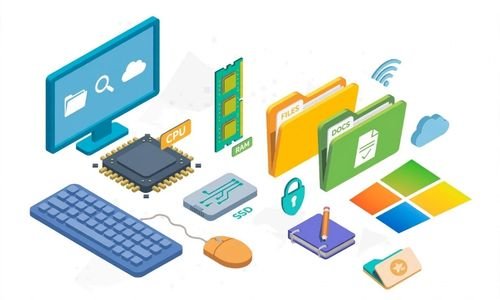
Computer Fundamentals & Digital Literacy
Learn how computers work, understand hardware and software, navigate Windows, manage files and folders, and practise everyday computer operations.
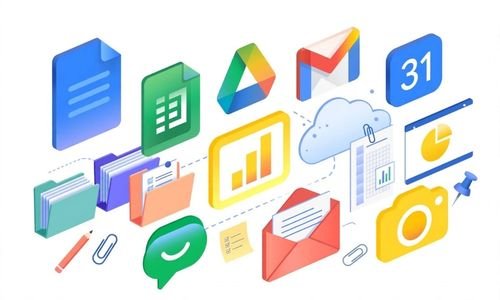
Office Applications & Online Productivity
Create documents, work with spreadsheets, prepare presentations, use Google Workspace, send professional emails, and organize information online.
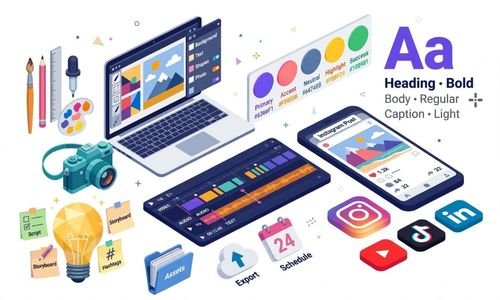
Digital Content Creation
Explore visual design, typography, layouts, social media creatives, basic video editing, and short promotional content.
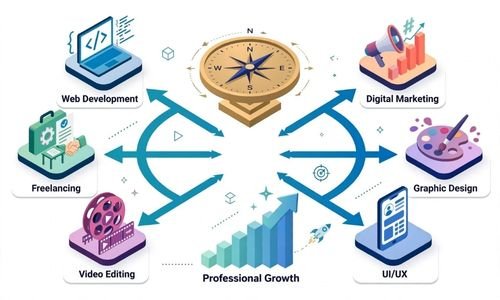
Career Discovery & Professional Direction
Explore Web Development, Digital Marketing, Graphic Design, UI/UX Design, Video Editing, and Freelancing to identify an area for further learning.
Course Curriculum
Your Complete
8-Week Learning Roadmap
practical assignments, digital tools, and guided career exploration.
Computer Fundamentals & Digital Literacy
Learn to Use a Computer with Confidence
Build your foundation in computer hardware, software, Windows, file management, and digital productivity.
Week 1: Introduction to Computers, Hardware & Windows
Topics covered:
Introduction, history, and evolution of computers.
Types of computers and digital devices.
Hardware versus software.
Input, processing, output, and storage.
CPU, RAM, ROM, HDD, and SSD.
Keyboard, mouse, monitor, printer, and scanner.
USB, HDMI, audio ports, and external devices.
Operating system fundamentals and Windows navigation.
Start Menu, Taskbar, Search, Settings, applications, and system updates.
Basic hardware and system troubleshooting.
Week 2: File Management & Computer Productivity
Topics covered:
Files, folders, file naming, and extensions.
Creating, copying, moving, renaming, deleting, and restoring files.
Downloads, uploads, search, and storage management.
ZIP and UNZIP operations.
Basic Command Prompt navigation and commands.
Keyboard shortcuts and screenshots.
PDF basics, printing, cloud storage, and backups.
Office Skills, Google Workspace & Internet
Learn to Work with Digital Tools
Develop practical skills for preparing documents, organizing data, creating presentations, collaborating online, and communicating professionally.
Week 3: Microsoft Word, Excel & PowerPoint
Microsoft Word: Document creation, formatting, tables, images, page layout, headers, footers, page numbers, printing, and PDF export.
Microsoft Excel: Workbooks, worksheets, rows, columns, cells, data entry, formatting, basic formulas, SUM, AVERAGE, COUNT, MIN, MAX, percentages, sorting, filtering, tables, and charts.
Microsoft PowerPoint: Slides, layouts, text, images, shapes, icons, tables, charts, themes, transitions, animations, and presentation delivery.
Week 4: Google Workspace, Internet, Email & Digital Safety
Topics covered:
Google Docs, Sheets, and Slides.
Google Forms, question types, and response collection.
Google Drive, folders, cloud storage, sharing, and permissions.
Internet, browsers, search engines, websites, URLs, domains, HTTPS, and downloads.
Search techniques and reliable information evaluation.
Gmail, To/CC/BCC, attachments, replies, forwarding, signatures, and professional email writing.
AI-assisted email drafting using ChatGPT.
Password safety, two-factor authentication, phishing, fake job offers, OTP protection, UPI safety, malware, privacy, and digital footprints.
Digital Content Creation
Learn to Create Digital Content
Explore design and video tools while building confidence in creative digital work.
Week 5: Canva & Design Fundamentals
Canva interface, templates, and dimensions.
Text, fonts, colours, images, shapes, icons, and backgrounds.
Layers, alignment, spacing, and exporting.
Typography, colour, contrast, visual hierarchy, white space, and consistency.
Social media posts, promotional posters, business flyers, event posters, certificates, presentation covers, and simple brochures.
Week 6: Video Editing & Social Media Content
Topics covered:
Video formats, resolution, aspect ratio, and timelines.
Cutting, trimming, splitting, and rearranging clips.
Text, transitions, music, voice-over, images, effects, and speed adjustments.
Introduction to VN Video Editor and export settings.
Creating social media posts, short videos, Reels, educational content, and promotional creatives.
Career Discovery & Professional Direction
Discover What You Want to Learn Next
Explore digital professions, understand required skills, research job opportunities, and complete a final integrated project.
Week 7: Introduction to Digital Careers
Web Development: Websites, frontend, backend, full stack, WordPress, HTML, CSS, JavaScript, React, Next.js, Node.js, APIs, and databases.
Digital Marketing: SEO, social media, content marketing, Google Ads, Meta Ads, email marketing, local SEO, and analytics.
Graphic Design: Branding, typography, colour theory, marketing creatives, print design, Canva, Photoshop, and Illustrator.
UI/UX Design: User interfaces, user experience, user research, user flows, wireframes, prototypes, design systems, and Figma.
Video Editing: Reels, YouTube videos, storytelling, voice-over, colour correction, motion graphics awareness, VN, CapCut, and Premiere Pro as a further-learning option.
Week 8: Freelancing, Jobs, Earning Awareness & Final Project
Freelancing fundamentals, portfolios, personal branding, proposals, client communication, pricing, deadlines, revisions, payments, and reviews.
Freelance platforms, including Upwork, Fiverr, and Freelancer, alongside LinkedIn and direct outreach.
Job positions and common career progression.
Researching current job postings and salary information.
Comparing local, remote, and international opportunities.
Assessing personal interests and choosing a possible specialization.
Preparing a personal next-learning roadmap.
Learning Methodology
Learn Step by Step
Through Practice
A balanced learning approach helps beginners understand concepts and apply them through guided exercises.
01
02
03
04
05
06
EXPLAIN
Understand the concept, terminology, and purpose of the tool.
DEMONSTRATE
Follow a guided example showing how the task is completed.
PRACTISE
Repeat the process through supervised hands-on exercises.
CREATTE
Apply the skill to an assignment or practical project.
REVIEW
Check your work, correct mistakes, and identify areas for improvement.
GROW
Internships, Freelancing, Jobs & Growth.
Who Can Join This Program?
Is This Web Designing
Course Right for You?
This program is suitable for:
College Students
Build practical skills alongside your academic education.
Graduates
BA, B.Com, B.Sc. and graduates from other streams can develop web designing skills.
Beginners
No advanced web designing experience is required to start learning the fundamentals.
Aspiring Digital Marketers
Build the skills required to explore web designing career opportunities.
Freelance Aspirants
Develop practical skills that can eventually support freelance work and client projects.
Business Owners
Learn how digital channels can support your own business growth.
FAQ
Frequently Asked Questions
What is the duration of the program?
The program lasts two months and is organized into four phases across eight weeks.
Is this course suitable for complete beginners?
Yes. It starts with computer fundamentals and gradually introduces office applications, internet tools, digital content creation, and career exploration.
What software and tools will I learn?
The curriculum includes Windows, Microsoft Word, Excel, PowerPoint, Google Docs, Sheets, Slides, Forms, Drive, Gmail, Canva, and VN Video Editor. It also introduces tools and technologies associated with different digital careers.
Will I learn practical skills or only theory?
The learning approach is 50% theory and 50% practical. Activities include guided exercises, assignments, and integrated projects.
What will I have at the end of the program?
You will work towards a digital portfolio containing your assignments, designs, videos, office projects, final business project, and a plan for further learning.
Will I create projects during the course?
Yes. Projects include a resume, Excel worksheets, presentations, Google Forms, Canva designs, promotional videos, and a final Digital Business Starter Project.
Will I become a professional web developer or graphic designer after two months?
This is a foundation and career discovery program. It introduces these fields but does not replace the advanced training and sustained practice required to become a professional.
Can I start freelancing after completing the course?
You will learn freelancing fundamentals and build introductory work samples. Finding clients and earning income generally require a marketable specialization, continued practice, effective communication, and a suitable portfolio.
Does the course guarantee a job or salary?
No particular job, salary, or income is guaranteed. The program focuses on foundational skills, practical assignments, and career awareness.
How can I enquire about admission?
Complete the admission enquiry form on this page or contact Creatofly Academy using the institute’s verified contact details.