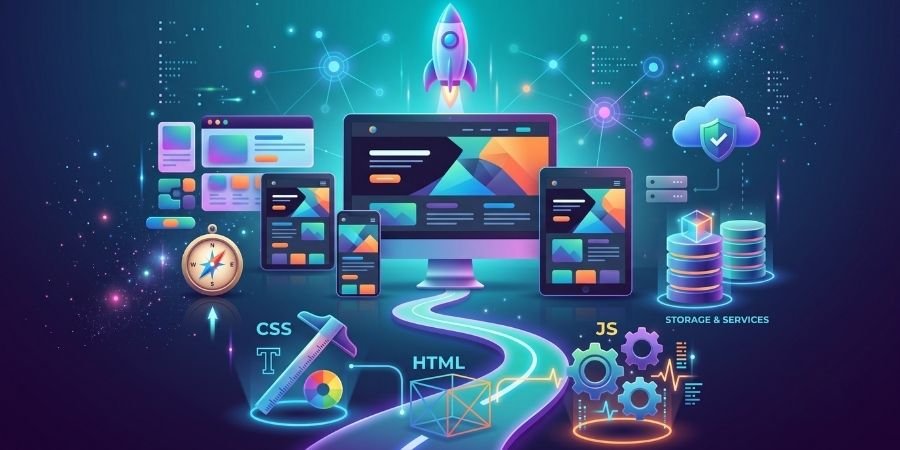
The internet has become an essential part of everyday life. Businesses, educational institutions, startups, government organizations and individuals use websites and web applications to share information, provide services and connect with customers. Behind these websites are web developers who design, build and maintain digital experiences.
Web development is the process of creating and maintaining websites and web applications. It involves different technologies, programming languages and tools that work together to make websites functional, interactive, responsive and accessible.
For students and beginners, web development is a practical digital skill that allows them to create real projects while developing a foundation for a career in technology.
What Is Web Development?
Web development involves everything required to build a website or web application. This can include creating the visual interface, writing code, connecting databases, developing functionality, improving performance and maintaining the website after it goes live.
A simple website may contain only a few pages, while a modern web application can include user accounts, databases, payment systems, dashboards, APIs and many interactive features.
Web development is generally divided into three major areas:
1. Frontend Development
Frontend development focuses on the part of a website that users can see and interact with.
Frontend developers work with technologies such as:
- HTML
- CSS
- JavaScript
- Bootstrap
- React.js
- Next.js
They create page layouts, navigation menus, forms, buttons, animations and responsive designs that work across different screen sizes.
2. Backend Development
Backend development focuses on the server-side functionality of a website or application.
Backend developers work with programming languages, frameworks, databases and APIs to handle tasks such as:
- User authentication
- Data processing
- Database management
- Server communication
- API development
- Business logic
Common backend technologies include Node.js, Express.js, PHP, Python, Java and various database systems.
3. Full-Stack Development
Full-stack development combines frontend and backend development.
A full-stack developer understands how the different parts of a web application work together, from the user interface to the server and database.
This makes full-stack development a popular learning path for people who want to understand the complete web development process.
What Technologies Should Beginners Learn?
If you are completely new to web development, it is better to follow a structured learning path instead of trying to learn multiple technologies at once.
HTML
HTML (HyperText Markup Language) provides the basic structure of a webpage.
It is used to create elements such as:
- Headings
- Paragraphs
- Images
- Links
- Forms
- Tables
- Lists
HTML is usually the first technology beginners learn because it provides the foundation for every webpage.
CSS
CSS (Cascading Style Sheets) controls the appearance and layout of a website.
With CSS, developers can create:
- Responsive layouts
- Navigation menus
- Cards
- Buttons
- Grids
- Flexbox layouts
- Animations
- Mobile-friendly designs
Learning CSS helps beginners transform a basic HTML page into a professional-looking website.
JavaScript
JavaScript adds functionality and interactivity to websites.
It can be used to create features such as:
- Interactive forms
- Image sliders
- Dropdown menus
- Popups
- Dynamic content
- Form validation
- API interactions
JavaScript is one of the most important technologies for modern frontend development.
What Are Frameworks and Libraries?
After learning HTML, CSS and JavaScript, developers can explore frameworks and libraries that help them build applications more efficiently.
For example, React.js is a popular JavaScript library used for building interactive user interfaces.
Other technologies learners may explore include:
- Bootstrap
- Tailwind CSS
- React.js
- Next.js
- Node.js
- Express.js
These tools can help developers create modern websites and web applications while following organized development practices.
Why Is Responsive Web Design Important?
People access websites using smartphones, tablets, laptops and desktop computers. A website that works well on only one screen size may provide a poor user experience.
Responsive web design allows a website to automatically adapt to different screen sizes.
Developers use techniques such as:
- CSS media queries
- Flexible layouts
- Flexbox
- CSS Grid
- Responsive images
- Mobile-first design
For beginners, learning responsive design is an important part of becoming a professional web developer.
Why Should Students Learn Web Development?
Web development combines creativity, technology and problem-solving. Students can learn how to turn an idea into an actual website or web application.
Instead of only studying theoretical concepts, learners can practice their skills by creating real projects such as:
- Personal portfolios
- Business websites
- Landing pages
- Educational websites
- Blog websites
- E-commerce websites
- Travel websites
- Web applications
Projects help students understand how different technologies work together and provide practical experience that can be useful when preparing for internships or jobs.
Web Development Career Opportunities
Learning web development can open the door to several technology-related career paths.
Depending on their skills and experience, learners can explore roles such as:
Frontend Developer
Works primarily on the user interface and client-side functionality of websites.
Web Developer
Builds and maintains websites for businesses, organizations and individuals.
React Developer
Uses React.js to develop modern and interactive user interfaces.
WordPress Developer
Creates and manages websites using WordPress, themes, plugins and custom code.
Full-Stack Developer
Works with both frontend and backend technologies.
Freelance Web Developer
Works independently with clients to create websites and web applications.
How to Start Learning Web Development
One of the biggest challenges beginners face is deciding where to start. Learning random technologies without a clear sequence can make the process confusing.
A structured learning path can make the journey easier.
Step 1: Learn HTML
Understand webpage structure, semantic elements, links, images, forms and tables.
Step 2: Learn CSS
Learn selectors, typography, colors, spacing, layouts, Flexbox, Grid and responsive design.
Step 3: Learn JavaScript
Understand variables, functions, arrays, objects, loops, DOM manipulation, events and basic APIs.
Step 4: Build Projects
Start creating small projects instead of only watching tutorials.
For example:
- Portfolio website
- Landing page
- To-do application
- Calculator
- Blog interface
- Product page
Step 5: Learn Git and GitHub
Git helps developers manage changes in their code, while GitHub can be used to store and share projects.
Step 6: Explore Modern Technologies
Once your fundamentals are strong, you can learn technologies such as React.js, Next.js, Node.js, Express.js and databases.
Step 7: Build a Portfolio
A portfolio allows you to showcase your projects, technical skills and practical experience to potential employers or clients.
How Long Does It Take to Learn Web Development?
There is no fixed amount of time required to learn web development. The duration depends on your previous knowledge, learning schedule, practice and the level of development you want to achieve.
A beginner who consistently practices can gradually build a strong foundation in the core technologies. The goal should not simply be to complete tutorials but to understand concepts and apply them by building projects.
Regular practice is often more valuable than trying to learn everything quickly.
Common Mistakes Beginners Should Avoid
Many beginners make similar mistakes when starting their web development journey.
Trying to Learn Too Many Technologies
You don’t need to learn every programming language or framework. Build a strong foundation first.
Watching Tutorials Without Practicing
Watching videos can help you understand concepts, but writing code yourself is essential for developing practical skills.
Avoiding Projects
Projects help you identify gaps in your knowledge and understand how different technologies work together.
Ignoring Responsive Design
Modern websites need to work across different devices, so responsive design should be part of your learning process.
Not Building a Portfolio
Your projects provide evidence of what you can actually build. A well-organized portfolio can make it easier to demonstrate your skills.
Web Development and AI
Artificial intelligence is increasingly becoming part of modern software development. AI-powered tools can help developers generate code suggestions, understand errors, create documentation and improve productivity.
However, beginners should not depend entirely on AI-generated code. Understanding the fundamentals of HTML, CSS, JavaScript and programming logic remains important.
AI should be treated as a learning and productivity tool, while developers should still understand, test and maintain the code they use.
Practical Learning Matters
Web development is a skill that becomes stronger through practice. Reading documentation and watching tutorials can provide knowledge, but building websites and applications helps turn that knowledge into practical ability.
A good learning approach combines:
Learn → Practice → Build → Test → Improve → Repeat
With every project, learners can improve their understanding of layouts, coding, debugging, responsive design and user experience.
Start Your Web Development Journey
Web development offers beginners an opportunity to combine technical skills with creativity and problem-solving. Whether you want to work as a frontend developer, build websites for clients, pursue freelancing or continue toward full-stack development, learning the fundamentals is the first step.
Start with HTML, CSS and JavaScript, build practical projects, learn modern tools gradually and continue improving your skills.
With consistent practice and a project-based approach, you can move from learning basic concepts to building real websites and applications and preparing for opportunities in the digital industry.
Frequently Asked Questions
Is web development suitable for beginners?
Yes. Beginners can start with HTML and CSS and gradually progress to JavaScript and modern web technologies.
Do I need a computer science degree to learn web development?
A computer science degree is not mandatory for learning web development. Practical skills, projects and a strong understanding of development concepts are important.
Which language should I learn first for web development?
HTML and CSS are the best starting points for understanding how webpages are structured and styled. JavaScript can then be learned to add interactivity.
Can web development be used for freelancing?
Yes. Developers can work with clients to create websites, landing pages, WordPress websites and web applications.
How can I become job-ready in web development?
Build strong fundamentals, practice regularly, create real-world projects, learn relevant development tools, build a portfolio and prepare for technical interviews.