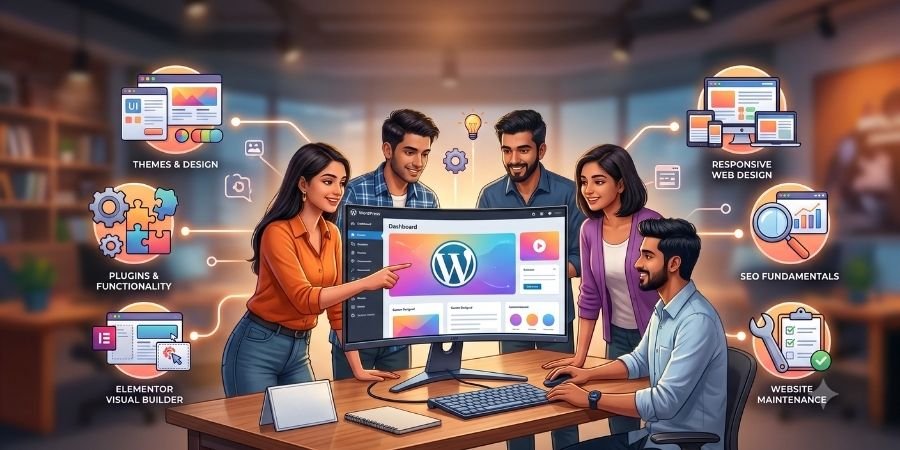
WordPress has become a popular way to create and manage websites without having to code every part of a website from scratch. From business websites and blogs to portfolios and landing pages, WordPress can be used for many different types of websites.
For beginners in Ballia who are interested in website development, learning WordPress can be a practical way to understand how websites are created, customized and maintained.
But what exactly will you learn during WordPress Training in Ballia? Is WordPress suitable for beginners? Will you learn Elementor, themes, plugins and responsive design? And can WordPress skills become part of a broader web designing career?
Let’s explore these questions step by step.
What Is WordPress?
WordPress is a content management system (CMS) used to create, manage and publish website content.
A CMS allows users to manage website content through an administrative interface rather than manually editing every webpage.
WordPress can be used to create:
- Business websites
- Blogs
- Portfolio websites
- Landing pages
- Educational websites
- Service websites
- Personal websites
For beginners, WordPress can provide a practical introduction to website creation and management.
Is WordPress Good for Beginners?
Yes. Beginners can start learning WordPress without advanced programming knowledge.
However, understanding basic web technologies such as HTML and CSS can make WordPress customization easier.
A beginner WordPress learning path can look like this:
WordPress Basics → Themes → Plugins → Pages → Elementor → Responsive Design → Forms → Website Optimization → Projects → Portfolio
The objective should not simply be learning where different buttons are located in WordPress. You should understand how the different parts of a website work together.
What Will You Learn in WordPress Training in Ballia?
A structured WordPress Training in Ballia program can cover several areas, from basic website setup to practical website development.
1. WordPress Fundamentals
The first step is understanding how WordPress works.
Beginners can learn about:
- WordPress dashboard
- Website structure
- Pages
- Posts
- Media
- Categories
- Tags
- Menus
- Settings
- User roles
The WordPress dashboard is the administrative area from which website content and settings can be managed.
Understanding the dashboard gives beginners a foundation for working with WordPress websites.
2. WordPress Themes
A WordPress theme controls the overall appearance and design of a WordPress website.
Themes can affect:
- Website layouts
- Typography
- Colors
- Header
- Footer
- Blog layouts
- Navigation
- Page structure
During training, beginners can learn how to install, configure and customize themes according to the requirements of a website.
Understanding themes is important because website design is not only about adding content. It is also about creating a consistent and usable interface.
3. WordPress Plugins
A WordPress plugin is an extension that adds specific functionality to a WordPress website.
For example, plugins can be used for:
- Contact forms
- SEO
- Security
- Performance
- Backups
- Analytics
- Website features
Beginners should also understand that plugins should be selected carefully. Installing unnecessary plugins can make website management more complicated.
A good training program should explain not only how plugins are installed but also how they are configured and used responsibly.
4. Elementor
Elementor is a visual website page builder that allows users to create and customize WordPress pages through a visual editing interface.
Instead of writing code for every layout element, users can work with visual sections, columns, widgets and design controls.
Elementor can be used to create:
- Landing pages
- Homepages
- Service pages
- About pages
- Contact pages
- Portfolio layouts
Learning Elementor can be especially useful for beginners interested in website design because it provides a visual way to experiment with layouts.
5. Responsive WordPress Design
Responsive design means creating a website that adjusts to different screen sizes and devices.
A WordPress website should work properly on:
- Desktop
- Laptop
- Tablet
- Smartphone
During responsive design training, learners can practice adjusting:
- Font sizes
- Spacing
- Images
- Columns
- Navigation
- Section layouts
Responsive design is particularly important because a website that looks good on a desktop may not automatically provide the same experience on a mobile device.
6. WordPress Forms
Forms allow website visitors to communicate with a business or organization.
Common website forms include:
- Contact forms
- Inquiry forms
- Registration forms
- Application forms
- Feedback forms
WordPress training can introduce learners to creating and managing forms and understanding how form submissions are handled.
This is a useful practical skill when developing websites for businesses and service providers.
7. Website Content Management
A website is not only about design. Content must also be organized and maintained properly.
Learners can understand how to manage:
- Pages
- Blog posts
- Images
- Videos
- Menus
- Categories
- Website information
This is where WordPress’s CMS functionality becomes particularly useful.
8. Basic Website Optimization
Website optimization involves improving different aspects of a website so that it provides a better experience for visitors and can be easier for search engines to understand.
Beginners can learn basic concepts such as:
- Image optimization
- Clean page structure
- Mobile responsiveness
- Basic SEO settings
- Website performance
- Proper headings
- Useful page content
Advanced optimization requires deeper knowledge, but understanding the fundamentals is valuable for anyone working with websites.
9. Basic SEO for WordPress
SEO (Search Engine Optimization) refers to practices that help webpages become more understandable and discoverable through search engines.
In WordPress, beginners may learn about:
- SEO titles
- Meta descriptions
- Headings
- Image alt text
- Internal links
- SEO-friendly URLs
- Focus keywords
- Content structure
SEO should be treated as part of website planning rather than something added only after a website is completed.
10. Website Maintenance
Creating a website is only one part of working with WordPress.
Website maintenance involves keeping a website updated, functional and organized.
Basic maintenance can include:
- Updating WordPress
- Updating themes
- Updating plugins
- Managing content
- Checking forms
- Reviewing website performance
- Maintaining backups
Learners should also understand that updates should be handled carefully and tested when necessary.
What Projects Can You Build With WordPress?
Practical projects are one of the most useful parts of WordPress learning.
Instead of only watching demonstrations, beginners can practice by creating complete websites.
Business Website
Create a website for a local business with pages such as Home, About, Services and Contact.
Portfolio Website
Create a personal website to showcase your skills, projects and professional information.
Landing Page
Build a focused page for a product, service, course or marketing campaign.
Blog Website
Create a blog and practice managing posts, categories, images and navigation.
Service Website
Build a website for a professional or service provider and organize information into clear sections.
These projects can later become part of a professional portfolio.
WordPress Course in Ballia: What Should Beginners Look For?
If you are searching for a WordPress Course in Ballia, don’t choose a course only because it teaches WordPress basics.
Look for a program that includes:
- WordPress fundamentals
- Themes
- Plugins
- Elementor
- Responsive design
- Forms
- Website optimization
- Basic SEO
- Practical projects
- Portfolio development
- Website maintenance
Practical learning is especially important because website development involves solving real design and functionality problems.
WordPress and Web Designing: How Are They Connected?
WordPress and web designing are closely connected, but they are not exactly the same thing.
Web designing focuses on creating the visual structure and user experience of a website.
WordPress development involves using the WordPress platform to create, customize and manage websites.
Learning both can give beginners a broader understanding of website creation.
For example, a learner may first design a webpage layout and then implement that layout using WordPress and Elementor.
This is one reason a broader Web Designing Course in Ballia can be useful for learners who want to understand both design and website development.
WordPress as Part of a Larger Web Development Skill Set
WordPress can be one part of a larger web development learning journey.
Beginners can gradually combine WordPress with:
Figma + HTML + CSS + JavaScript + Responsive Design + WordPress + Elementor + React
HTML provides webpage structure, CSS controls styling, JavaScript adds interaction, WordPress provides a content management platform, and React introduces modern frontend development concepts.
You do not need to master everything at the beginning. Start with the fundamentals and progress gradually.
Why Learn WordPress in Ballia?
Students looking for Web Designing Training in Ballia can consider WordPress as one practical component of their overall skill development.
Local training can provide beginners with structured learning, assignments and opportunities to practice website creation.
Creatofly Academy’s 12-month Web Designing & Frontend Development Career Program includes WordPress and Elementor alongside UI design, Figma, HTML5, CSS3, responsive web design, JavaScript, Bootstrap, React.js, Git & GitHub and AI tools.
The program also emphasizes practical projects and portfolio development.
If you are comparing Website Designing Course in Ballia options, consider whether the curriculum teaches both website design fundamentals and practical implementation.
Career Options After Learning WordPress
WordPress skills can support different career directions depending on your experience and specialization.
Possible roles include:
- WordPress Developer
- WordPress Website Designer
- Web Designer
- Website Developer
- Junior Web Developer
- Freelance Web Designer
- Freelance WordPress Developer
Some learners may also use WordPress skills to work with agencies, businesses or individual clients.
However, completing WordPress training does not guarantee employment. Career opportunities depend on your technical skills, portfolio, experience, communication and available opportunities.
Build a WordPress Portfolio
A portfolio is a collection of projects that demonstrates your practical skills.
Instead of simply listing “WordPress” on your resume, you can show websites you have actually created.
A beginner WordPress portfolio might include:
- Business website
- Portfolio website
- Landing page
- Blog website
- Elementor project
- Responsive WordPress website
A strong portfolio can help demonstrate your ability to apply what you have learned.
Final Thoughts
WordPress Training in Ballia can be a practical starting point for beginners who want to learn website creation and management.
Start with WordPress fundamentals and gradually learn themes, plugins, Elementor, responsive design, forms, website optimization and basic SEO. Most importantly, practice by creating complete websites rather than learning only through theory.
If you are comparing a WordPress Course in Ballia, Web Design Course in Ballia or Web Development Course in Ballia, look at the complete curriculum and practical learning approach.
The goal should be to develop more than just platform knowledge.
Build the complete skill journey:
Learn → Practice → Build → Improve → Create a Portfolio → Prepare for Opportunities